
Download Schnell AI – Fast AI‑Powered Image Generator for Free, Secure & Cross‑Platform Use
Introduction & Overview
Schnell AI is a cloud‑based, AI‑driven image generation platform that converts plain‑language prompts into high‑resolution visuals within seconds. Leveraging the latest diffusion models, the service emphasizes speed without compromising photorealistic quality, making it an ideal companion for marketers, social media managers, designers, and any creator who needs fresh graphics on a tight schedule. Because the entire engine runs in the browser, there is no need for powerful GPUs, dedicated installations, or hefty system requirements—everything happens securely in the cloud.
Whether you need a striking banner for a Facebook ad, a concept sketch for a pitch deck, an eye‑catching illustration for an Instagram story, or a product mock‑up for an e‑commerce catalog, Schnell AI delivers polished results with just a few clicks. The platform offers a generous free tier that allows up to 20 image generations per day, while premium plans unlock higher resolution outputs, priority processing, advanced style controls, and API access for automation. Data privacy is a core principle: generated images are stored temporarily and automatically deleted after 24 hours, ensuring that proprietary ideas remain confidential.
Schnell AI’s intuitive interface, multilingual support, and cross‑platform accessibility (Windows, macOS, Linux, Android, iOS) combine to create a seamless experience that bridges creativity and technology for both hobbyists and enterprise users.
Key Features & Capabilities
- Instant Text‑to‑Image Conversion: Produce a finished image in under 10 seconds on average, thanks to optimized cloud processing.
- Extensive Style Library: Choose from photorealistic, cartoon, minimalist, vintage, vector, and AI‑enhanced art styles, with the ability to fine‑tune hue, saturation, and lighting.
- High‑Resolution Export: Free users receive up to 1080 × 1080 px; paid plans support up to 4K (3840 × 2160 px) and custom DPI settings for print‑ready assets.
- Batch Generation: Submit up to 20 prompts simultaneously for large projects such as product catalogs or social‑media calendars.
- API Access for Developers: RESTful endpoints with API‑key authentication enable integration into marketing automation tools, CMS platforms, or custom software pipelines.
- Secure, No‑Log Policy: All prompts and generated images are stored temporarily (max 24 hours) and automatically purged, safeguarding intellectual property.
- Cross‑Platform Compatibility: Works on any modern browser that supports WebGL and HTTPS, covering Windows, macOS, Linux, Android, and iOS devices.
- Collaborative Project Workspace: Teams can organize prompts, share links, collect feedback, and manage version history within the “Projects” tab.
Each feature is designed with both speed and flexibility in mind. The style presets provide a quick start for users who may not be familiar with design terminology, while the granular sliders let power users achieve precise brand alignment. The API not only expands the tool’s utility beyond the web UI but also opens possibilities for automated content generation, such as creating personalized graphics for email campaigns at scale. Security measures, including SSL/TLS encryption and the temporary‑storage policy, ensure that confidential concepts remain private throughout the generation process. Whether you are a solo freelancer needing a quick illustration or a large agency requiring bulk image production, Schnell AI’s feature set scales to meet diverse workflow demands.
Installation, Usage & Compatibility
Because Schnell AI is a pure web application, there is no traditional software installation. Getting started only requires a modern browser and an internet connection. Follow these steps to begin generating images:
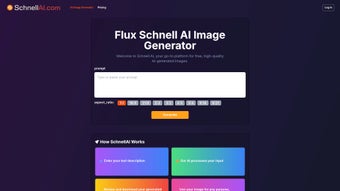
- Open the Official Site: Navigate to schnell.ai. The homepage presents a clean input field labeled “Enter your prompt”.
- Create an Account (Optional but Recommended): Register with an email address to unlock saved prompt history, higher daily quotas, and access to premium features. Verification is completed via a short email link.
- Compose Your Prompt: Write a detailed description of the desired image. For example, “A futuristic city skyline at sunrise, photorealistic, pastel tones, with flying cars in the foreground”.
- Select a Style & Settings: Use the dropdown to pick a style preset, then adjust sliders for contrast, saturation, and lighting if needed. Choose an aspect ratio that matches your target platform (e.g., 1080 × 1080 for Instagram).
- Generate the Image: Click “Create”. A progress bar shows the cloud processing; most images appear within 8‑12 seconds.
- Review, Edit & Download: Preview the result in full‑screen mode. Minor edits such as cropping or adding text can be performed directly in the web UI. Download the final file as PNG (free tier includes a subtle watermark) or JPEG (paid tier provides a clean export).
- Export for Specific Use Cases: Use the “Social Media” preset for optimized dimensions or the “Print” preset for 300 DPI files suitable for brochures.
Schnell AI is compatible with any device that runs a modern browser supporting WebGL and HTTPS, including:
- Windows 10/11 – Edge, Chrome, Firefox
- macOS Monterey and later – Safari, Chrome, Firefox
- Linux distributions with recent browsers
- Android 9+ – Chrome, Firefox
- iOS 13+ – Safari, Chrome
For developers, the API documentation located under the “Developers” tab provides example cURL commands, SDK snippets, and rate‑limit details. A typical request looks like this:
curl -X POST https://api.schnell.ai/v1/generate \
-H "Authorization: Bearer YOUR_API_KEY" \
-H "Content-Type: application/json" \
-d '{"prompt":"A minimalist logo for a tech startup","style":"Vector","resolution":"2048"}'
The response returns a temporary URL for downloading the generated image. Remember that API usage adheres to the limits defined by your subscription tier, and all calls require a secure HTTPS connection.
Pros, Cons, Frequently Asked Questions & Final Verdict
Pros
- Lightning‑fast generation; most images appear in under 10 seconds.
- Zero hardware requirements; runs entirely in the cloud.
- Broad style library covering both photorealistic and artistic needs.
- Generous free tier suitable for occasional creators.
- Strong privacy stance with temporary storage and automatic deletion.
- API access enables seamless integration with marketing automation tools.
- Cross‑platform accessibility on Windows, macOS, Linux, Android, and iOS.
Cons
- Free version adds a subtle watermark on high‑resolution exports.
- Advanced style controls and higher resolutions are limited to paid plans.
- Batch processing speed may vary during peak usage periods.
- Complex prompts sometimes produce unexpected compositions, requiring iterative refinement.
- Constant internet connection is mandatory; offline work is not possible.
Frequently Asked Questions
Is Schnell AI really free to use?
Yes. The free tier allows up to 20 image generations per day with basic style options and adds a small watermark on high‑resolution downloads. Upgrading removes the watermark and expands limits.
Can I use the generated images for commercial projects?
Absolutely. Both free and paid users receive a royalty‑free commercial license for the images they create, provided they adhere to Schnell AI’s terms of service. Paid users get watermark‑free files, which is recommended for branding.
How does Schnell AI protect my data and prompts?
Schnell AI follows a strict no‑log policy. Prompts and generated images are stored temporarily (maximum 24 hours) and then automatically purged. All data transmission uses SSL/TLS encryption.
What resolution options are available for export?
Free users can download up to 1080 × 1080 px, suitable for most social platforms. Paid plans unlock up to 4K (3840 × 2160 px) and allow custom resolutions for print‑ready files.
Is there an API for developers, and how do I get started?
Yes. The RESTful API is available to paid subscribers. After obtaining an API key from the dashboard, you can send POST requests to https://api.schnell.ai/v1/generate. Full documentation, code samples, and rate‑limit details are provided in the “Developers” section.
Final Verdict & Call to Action
Schnell AI delivers a compelling blend of speed, quality, and ease of use that makes it stand out among AI image generators. Its cloud‑native architecture eliminates the need for expensive hardware, while the extensive style library and API support cater to both creative individuals and enterprise teams. The generous free tier lowers the barrier to entry, and the upgrade path provides professional‑grade assets without watermarks. Minor drawbacks—such as reliance on an internet connection and occasional prompt ambiguity—are far outweighed by the platform’s flexibility, privacy‑first approach, and cross‑platform reach. If you need a reliable, fast, and secure AI‑powered image generator that works on Windows, macOS, Android, and iOS, Schnell AI is a top‑choice.
Ready to transform your ideas into stunning visuals? Download Schnell AI now, generate your first image for free, and experience the speed that modern marketers and designers depend on.



.png)



